Memory
The AI remembers things about you so you never have to repeat yourself.
Overview
Memory lets Chat Everywhere store facts, preferences, and context across all your conversations. When you start a new chat, stored memories are automatically included in the AI’s context, so it already knows your background and preferences without you having to re-explain them each time.
Over time, this makes the AI feel more like a personal assistant that knows you — rather than a blank slate every session.
Memory is available to all signed-in users, including guest accounts. Guest memories stay with the guest account and move to your regular account when you migrate guest history.
How It Works
Automatic memories
During a conversation, the AI may decide on its own to save something you mentioned. For example, if you say “I work in healthcare and need responses that are easy to explain to patients,” the AI might store that preference and apply it in future conversations.
Explicit memories
You can also tell the AI directly what to remember. Just say it in plain language during any conversation:
- “Remember that I prefer bullet-point responses.”
- “Remember that my primary coding language is Python.”
- “Remember that I’m writing a novel set in 1920s Paris.”
The AI confirms when it has saved something.
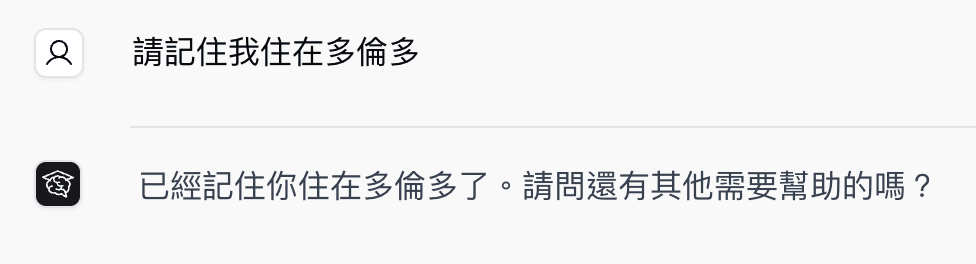
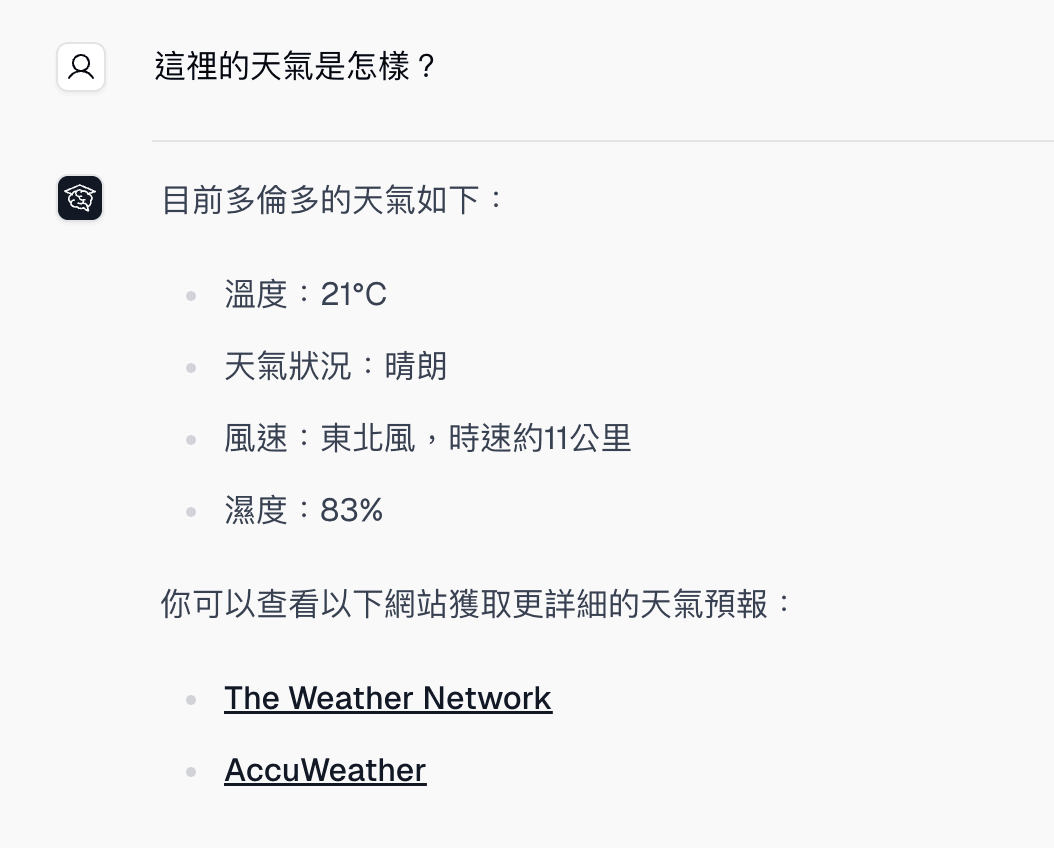
In later conversations, the AI can use saved memories without you repeating the same context.
Updating and removing memories
When something changes, you can tell the AI and it will update the stored memory:
- “I moved to Tokyo — update my location.”
- “I switched to TypeScript, so forget the Python preference.”
- “Forget everything you know about my job.”
What Gets Remembered
Memory is flexible — you decide what gets stored. Common examples include:
- Response style preferences, such as concise answers, bullet points, or formal tone
- Your professional background or field of work
- Ongoing projects or goals you want the AI to keep in mind
- Topics you want the AI to avoid or always include
- Personal context that shapes how you want answers framed
The AI does not store the full text of past conversations. Memory is a set of specific facts and preferences you have asked it to save, or that it has identified as useful to retain.
Managing Your Memories
There is no separate memory settings page. You manage memories directly in chat:
- Ask “What do you remember about me?” to review what is stored.
- Tell the AI to update or forget a specific memory.
- Ask the AI to forget everything if you want to start fresh.
Changes take effect in your next conversation.
Who Can Use This
Memory is available to all signed-in users on any plan, including guest accounts. See Guest Access for how guest memories move to a regular account.
Common Questions
How do I ask the AI to remember something? Just say it directly in the chat: “Remember that I prefer short answers” or “Remember that I’m a nurse.” The AI will confirm when it has saved the memory.
How do I make the AI forget something? Tell it to forget: “Forget that I’m a nurse” or “Remove the preference about short answers.”
Does the AI always use stored memories? Yes. When memories are present, they are automatically included at the start of every new conversation. The AI will use them to shape its responses. If a memory becomes outdated or no longer applies, update or delete it so the AI does not use incorrect information.