Web Search
Let the AI search Google and read real web pages before answering your questions.
Overview
Web Search gives the AI access to current information from the internet. When you ask about something that changes frequently — today’s news, current prices, recent product releases, or live events — the AI can search Google and read the relevant pages rather than relying on its training data alone. Two tools work together behind the scenes: a Google Search integration that finds relevant results, and a web browsing tool that reads the actual page content. You write your question normally; the AI decides when and what to search.
How to Use
You can activate Web Search in two ways.
Option A: Web Search Mode
Select Web Search from the mode selector button in the chat toolbar. In this mode, the AI performs a web search for every message you send. Use this when you know your questions will require current information throughout the conversation.
Option B: Auto Mode (Automatic)
Leave the mode set to Auto and ask your question as normal. When the AI determines that your question requires current information, it searches automatically. You do not need to do anything differently — the AI triggers the search on its own when needed.
What to Expect
Once the AI completes its search, it answers your question and includes citations — links to the specific web pages it read. You can click any citation to visit the source yourself.
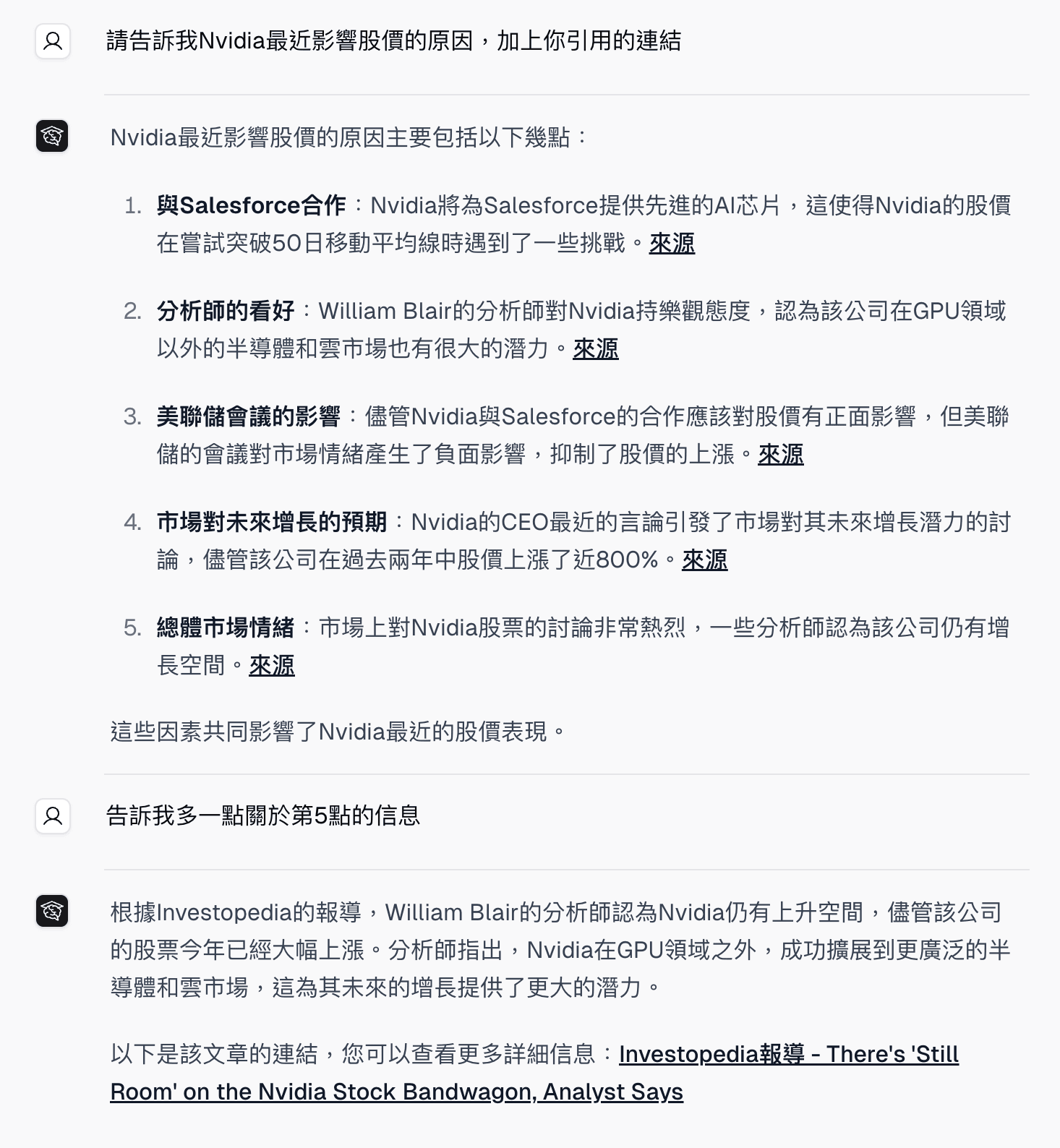
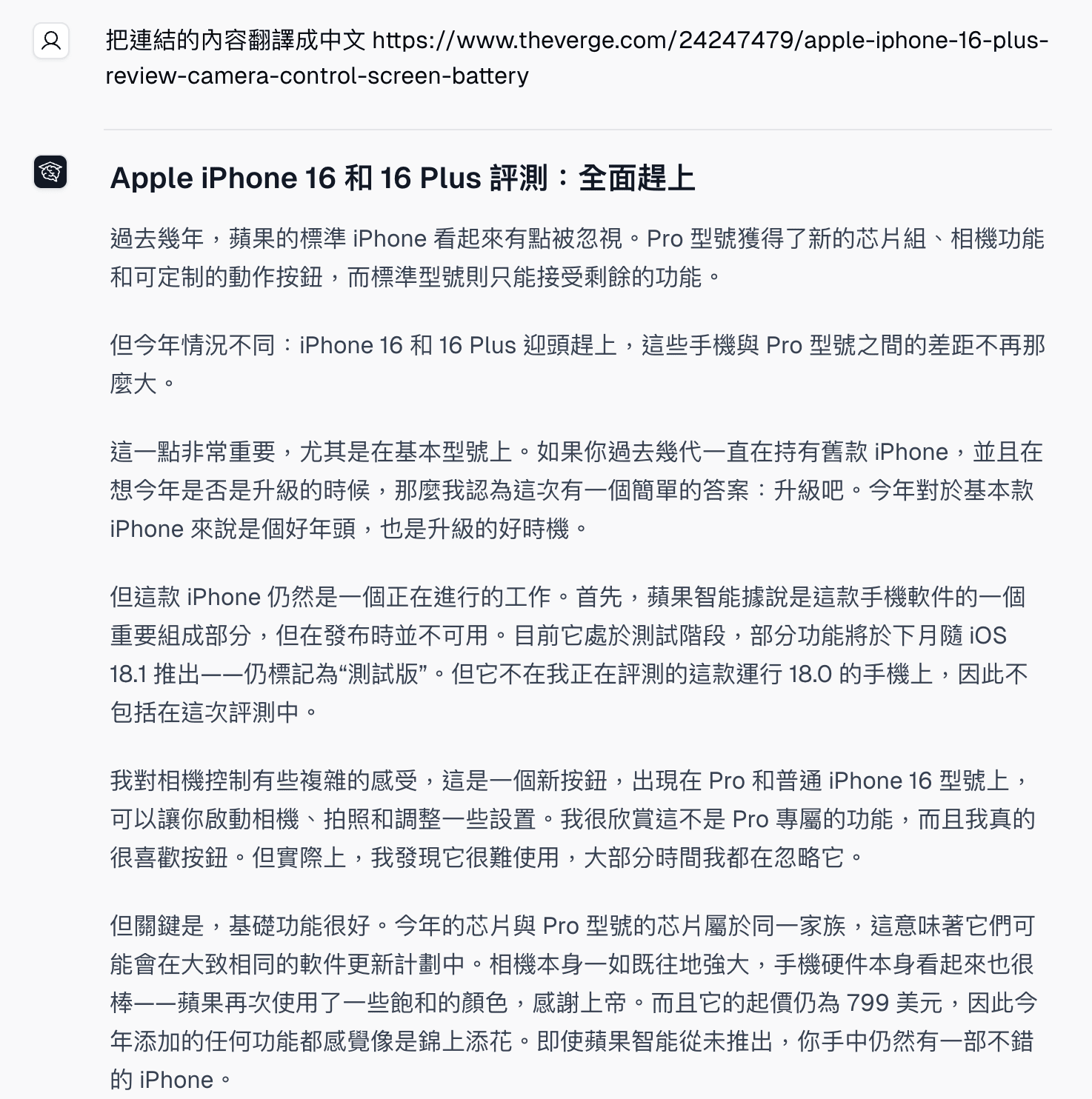
If you share a URL in your message, the AI can browse that specific page directly. For example, you can paste a news article link and ask the AI to summarize it, or share a product page and ask for a comparison.
The AI may run multiple searches in a single response if your question has several parts. You will see a brief indicator while the search is running.
Who Can Use This
Web Search is available to all signed-in users, including Free accounts, with no daily search limit. Guests need to sign in with a Free account or above to use Web Search mode.
Related Features
- AI Chat — The core conversation interface where Web Search runs
- YouTube Analyzer — Analyze the content of a YouTube video by URL
Common Questions
Do I need to write the search query myself? No. You write your question in plain language and the AI figures out what to search for. It may run several searches and combine results before responding.
How do I know what sources the AI used? Every Web Search response includes citation links at the bottom. Each link points to a page the AI read while preparing your answer.
Why did the AI search when I didn’t ask it to? If you are in Auto mode, the AI searches automatically when it judges that current information would improve the answer. If you prefer it not to search, switch to a different mode or ask it to answer from its training data only.