Troubleshooting
Common issues and how to resolve them.
Chat Not Responding
Symptom: Messages are sent but no response appears.
Solutions:
- Check your internet connection
- Refresh the page
- Clear browser cache and try again
- If the issue persists, the AI service may be temporarily overloaded — wait a few minutes
File Upload Fails
Symptom: Uploading a file shows an error.
Solutions:
- Check that your file size is within the limit
- Make sure you’re signed in — guests can’t upload files. On the Free plan, file reading can be used 3 times per day (resets at 00:00 GMT+8); Pro and above have no daily limit
- Try a different file format (PDF, images, and text files are supported)
Cannot Access Teacher Portal
Symptom: The Teacher Portal link doesn’t appear in the sidebar.
Solutions:
- Verify you have a Teacher plan subscription
- Sign out and sign back in
- Contact support if the issue persists
Student Cannot Rejoin a Class
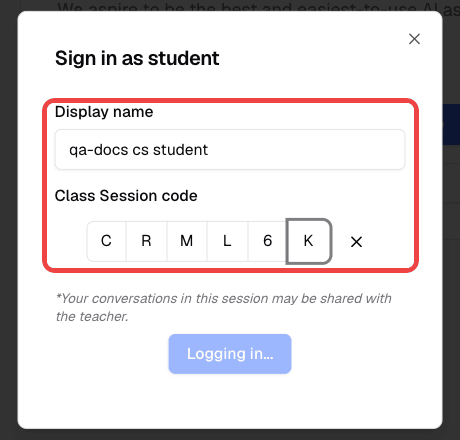
Symptom: A student closes the browser window, signs out, or changes devices and cannot return to the same class identity.
Solutions:
- Confirm the class session is still active.
- Ask the student to use the same display name they used before.
- Confirm the student is entering the current one-time class code.
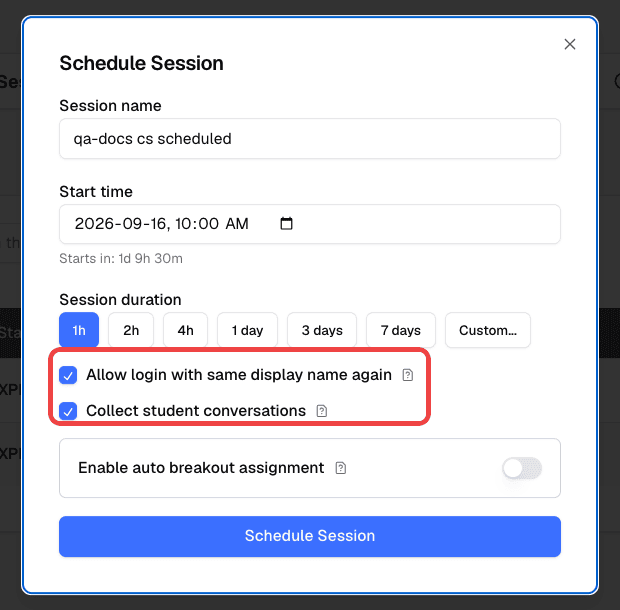
- If the class was restarted, confirm Allow login with same display name again is enabled.
- If the teacher needs to review conversations later, confirm Collect student conversations is enabled before students continue.
Reuse a Class Code and Restore Student Conversations
Symptom: A teacher wants to use one class QR code or link across multiple lessons while keeping student conversation records connected to the same student identity.
Checklist:
- Start or schedule the class from the Teacher Portal.
- Enable Allow login with same display name again.
- Enable Collect student conversations.
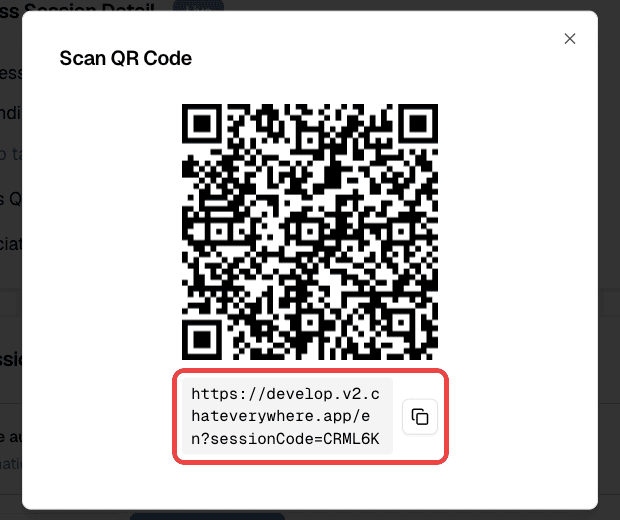
- Share the generated QR code or class link with students.
- Tell students to use a stable display name such as a student number or full name.
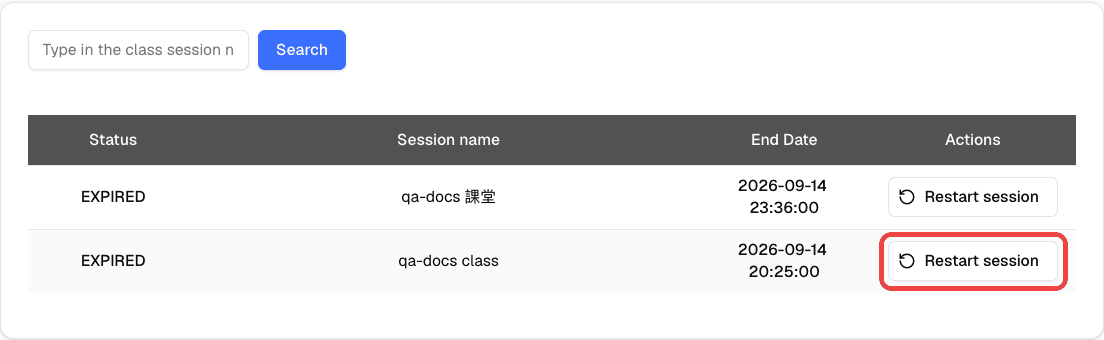
- Before the next lesson, restart the same class from the History tab and keep the same settings enabled.
- Ask students to rejoin with the same display name and class code.
For the full walkthrough, see Reusing a Class Link and Restoring Student History.
Quiz Not Loading for Students
Symptom: Students see an error when trying to take a quiz.
Solutions:
- Ensure the quiz has been published
- Verify students are in an active class session
- Check that the quiz link/code is correct
Export or Import Is Needed as a Fallback
Symptom: A user needs to back up or move chat history manually.
Solutions:
- Click your profile icon, open Setting, and go to the Import/Export tab. Use Export to download a backup and Import to restore it.
- Keep the exported JSON file in a secure location.
- Import only files that came from Chat Everywhere’s export flow.
See the Google Drive walkthrough: Export and import chat history video .
Audio Upload Issues (Meeting Summarizer)
Symptom: Audio file fails to upload or process.
Solutions:
- Check file size limits (1 GB total on the free plan, 5 GB on the Meeting Summarizer paid plan, which is included with Ultra)
- Ensure the file is in a supported audio format
- Try a shorter audio file first
Still Need Help?
Contact us through the app or visit intro.chateverywhere.app for support options.